
Batches, lots and quality control
Track lots with expiry, inspect production batches with signed results, release only what passed, and trace any lot back to materials and on to customers.
What it is
Lots (batches) let you know exactly which units you bought, made and sold. With batch tracking on, every receipt records the lot and its expiry, and every sale, transfer or issue records which lot went out.
For what you make, production adds three screens:
- Production › Batches — the batches made on each work order, and where each stands in quality control.
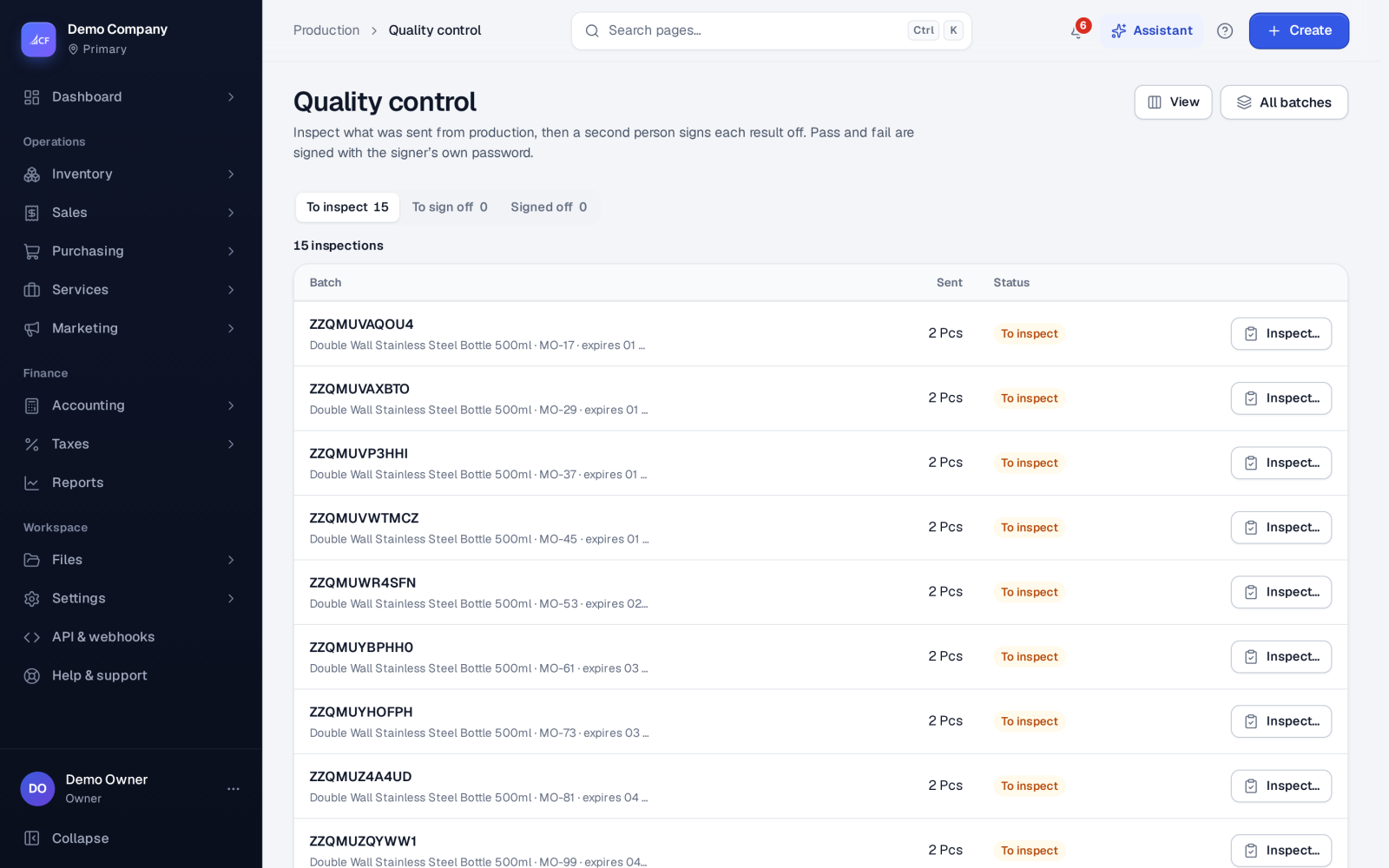
- Production › Quality control — inspection and sign-off of each batch, with an electronic signature.
- Production › Lot genealogy — trace a lot back to what it was made from, and forward to where it went.
Who it is for
- Food, cosmetics and pharmacy makers with quality rules
- Pharmacies and distributors of expiry-dated goods
- Quality managers who sign off batches
- Anyone who may need to recall a lot
Before you start#
- In Settings › Inventory, set Batch tracking to Yes and choose what happens with Expired batches: Block — it can't be sold or used or Warn, then allow.
- On each product, switch on Track batches & expiry. Switch on Quality check before sale for items that need inspection.
- In Settings › Production, switch Quality control on, and its release gate if only released lots may be sold or used.
- Rights: batches follow the work order right; quality control has its own view and add rights.
Step by step#
- Open the work order and choose Make a batch… — the number starts from the work order's lot and the quantity from what is left.
- Tick Send it all to quality control now, or send it later from Production › Batches.
- Open Production › Quality control › To inspect and choose Inspect….
- Enter the Result (Pass or Fail), the passed quantity, and any reject reason, rework and scrap.
- Sign with your password in Electronic signature.
- A different person opens To sign off, chooses Sign off…, and approves or rejects as QA.
- Once signed off as approved, the batch is Released and can be sold or used.
Batch statuses#
Not sent → In QC → Released or Rejected. The Batches list has a view for each.
- Batch numbers are unique, and batches cannot add up to more than the work order quantity.
- Expiry must be on or after the date made.
- Rework plus scrap cannot be more than the rejected quantity.
Signing rules
- Pass and fail need your sign-in password again; five failures within 15 minutes lock signing for a while.
- QA sign-off must come from a different person than the analyst — four eyes on every release.
- Each batch keeps a Signed audit trail.
The release gate
With the gate on, a lot made in-house of an item marked Quality check before sale is refused for sale or issue until QA has released it: "has not been released by Quality Control".
Lots in daily work#
- Sales draw the lot that expires soonest first, and a lot's expiry shows wherever you choose one.
- Inventory › Stock counts › Write off expired stock writes off every expired lot at a location in one step.
- Labels can print Lot and expiry (see Labels, barcodes and scanning).
- The pharmacy pack adds an expiry watch of what expires in the coming days and its value, and a lot recall list of every customer who received a lot.
Lot genealogy#
Open Production › Lot genealogy and search by Lot number or Work order:
- A lot shows Where it came from, Where it went (customers, suppliers and work orders) and Finished lots made with it.
- A work order shows Lots it made and Lots it used.
From a batch page, Trace this lot opens the same view.
How it posts to the books#
Lots, inspections and sign-offs post nothing themselves. Expired write-offs debit Inventory Adjustment Loss and credit Inventory. Scrap and rework are recorded as quality results.
Limits and what is not there yet#
- Lot genealogy traces; it does not start a recall by itself. Use the pharmacy pack's lot recall list to contact customers.
- Rejected quantities are not moved out of stock automatically; write them off with an adjustment.
- The signed pass, fail and sign-off path is built; prove it with your own team before relying on it for an audit.
Questions#
Do I need quality control to track lots?
No. Batch tracking works on its own. Quality control adds inspection and the release gate for what you make.
Can the same person inspect and release a batch?
No. The QA sign-off must be a different person from the one who inspected it.
How do I find every customer who received a lot?
Search the lot in Production › Lot genealogy — Where it went lists the customers and documents.
What happens when an expired lot is picked?
It depends on Expired batches: Block refuses it, Warn, then allow lets the person continue after a warning.