
Finished goods receipts
Receive what a work order made into stock with its lot, expiry or serials, at a standard cost of materials and work, and see the variance close out.
What it is
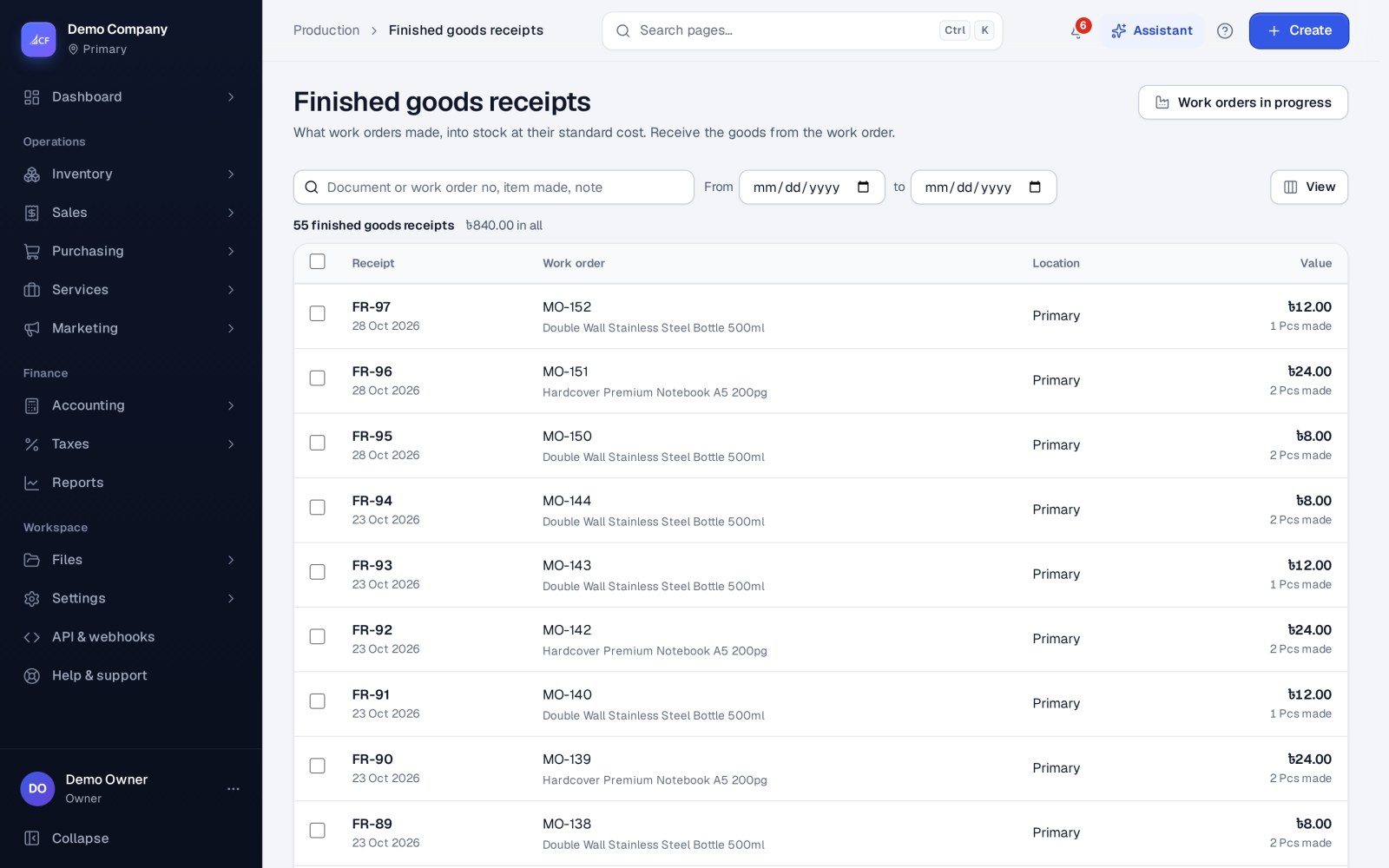
A finished goods receipt (numbered FR-…) brings what a work order made into stock at its location. Food and beverage businesses see it as Prepared foods.
The goods come in at a standard cost — the work order's materials and operations per unit — which is blended into the item's average cost. If the work order backflushes, the receipt also takes its materials out of stock at the same moment.
Who it is for
- Production supervisors recording output
- Warehouse staff putting finished goods away
- Food and pharmacy makers who must record lots and expiry dates
- Bookkeepers following work in progress and cost variances
Before you start#
- The work order must be Finished (mark it finished first).
- Its materials must be issued, unless it backflushes them.
- People need the add right on finished goods receipts.
Step by step#
- Open the finished work order and choose Receive goods….
- Enter How many were made.
- For a lot-tracked item, check the lot and expiry — they start from the work order's batch and expiry.
- For a serial-tracked item, enter the Serial numbers, one per line — one for each unit.
- Check the Standard cost per unit (materials + work).
- Add any cost lines for this receipt, and Remarks if useful.
- Save the receipt.
Rules#
- A lot-tracked item needs a lot: "enter the lot these were made in".
- The number of serials must equal the quantity.
- By default a work order's goods are received once, when it is finished.
- A receipt is final; it is not edited or deleted.
- With quality control's release gate on, lots of items marked Quality check before sale cannot be sold or used until they are released (see Batches, lots and quality control).
How the cost is worked out#
Standard cost per unit = the work order's materials ÷ quantity + its operations ÷ quantity, plus this receipt's cost lines ÷ quantity. When finished goods are valued at actual time (an option in Settings › Production, with work-centre costing), the operations part follows the minutes recorded on the work sheet.
How it posts to the books#
- Debit Inventory — the goods at standard cost.
- Credit Work in Progress — the standard materials.
- Credit Production Costs Applied — the operations and the receipt's cost lines.
If the work order backflushes, the receipt's automatic material issue debits Work in Progress and credits Inventory for the materials.
On the receipt that completes the work order, whatever is left in Work in Progress — the difference between the materials actually issued and the standard received — goes to cost of goods sold, so work in progress for that order ends at zero.
Raw materials and finished goods both sit in the Inventory account; there are no separate accounts for each.
Limits and what is not there yet#
- By-products are not received on the work order; receive them with a stock-in adjustment.
- Scrap is recorded as a quality-control result, not as its own stock movement.
- Receiving along the way (several partial receipts) is not the default.
Questions#
Why can't I receive goods yet?
The work order is not marked Finished, or its materials have not been issued and it does not backflush. Issue the materials, then mark it finished.
What lot number do the finished goods get?
The work order's Batch / lot no, unless you change it on the receipt. Its expiry comes from Batch expires.
Where does the cost difference go?
When the work order is completed, the difference between the actual materials and the standard goes to cost of goods sold.
Can I print labels for the finished goods?
Yes. Use Inventory › Labels with the item and its lot and expiry (see Labels, barcodes and scanning).