
Receiving goods
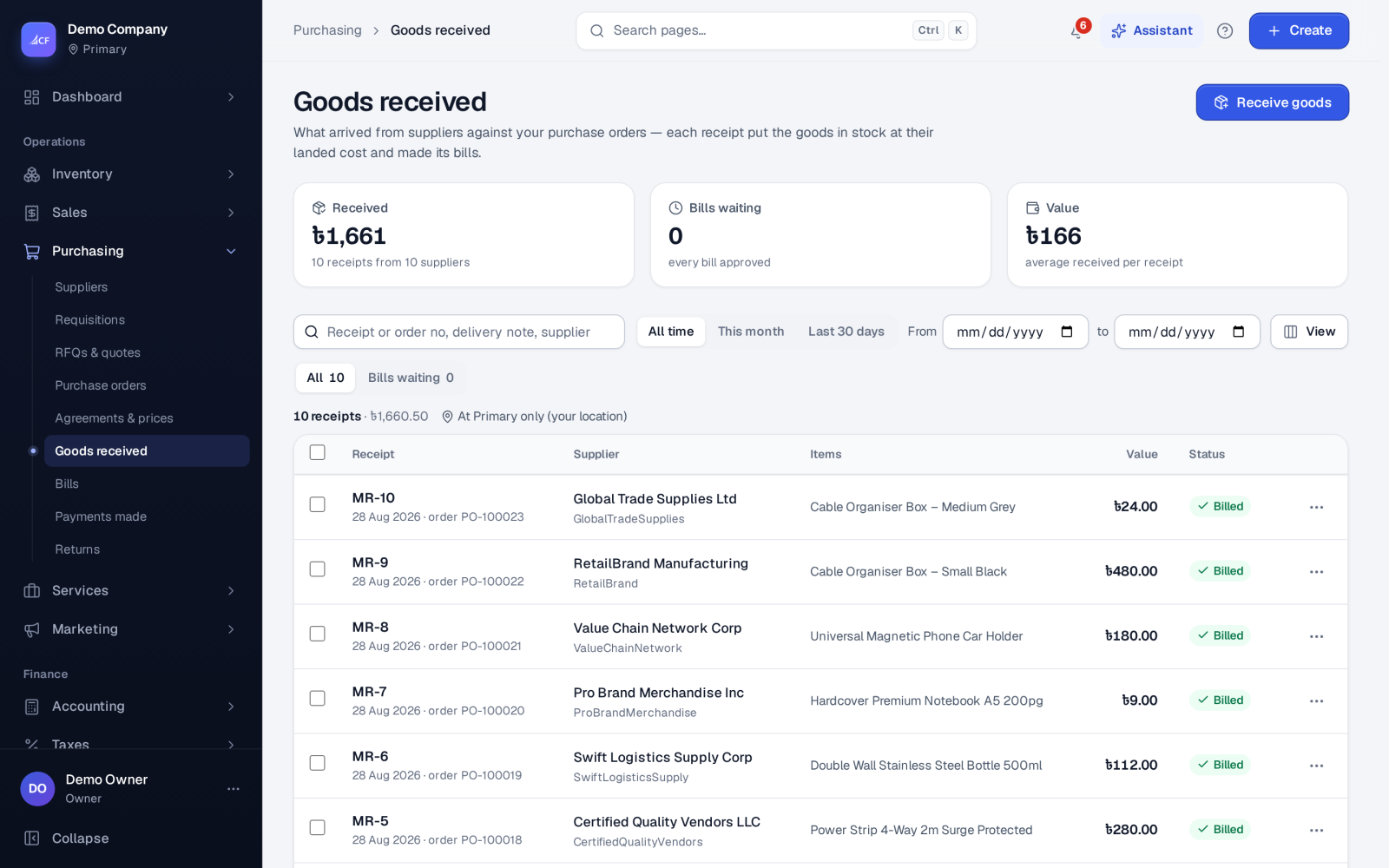
Receive goods against approved purchase orders in full or in part, with lots and serial numbers, landed costs and the supplier's bill made for you.
What it is
A goods receipt records what actually arrived from a supplier against an approved purchase order. It brings the stock in at its landed cost and, in the same step, makes the supplier's bill as a draft, so the bill always matches what was received.
A receipt can take any part of what is still to come, line by line. The order stays open for the rest until it is received in full or closed short.
Who it is for
- Warehouse and store staff who check deliveries in.
- Buyers who follow what is still on its way.
- Accountants who want stock value and supplier bills to agree.
- Businesses that track lots, expiry dates or serial numbers.
Before you start#
- The purchase process must be Order → receive → bill → payment (Settings › Purchase). With Bill → payment there are no goods receipts.
- The purchase order must be approved.
- For tracked items, switch on Batch tracking or Serial numbers in Settings › Inventory.
- The person needs the right to add goods receipts.
Step by step#
- Open Purchasing › Purchase orders, find the order in To receive and choose Receive goods in its row menu (or choose Receive goods on Purchasing › Goods received).
- Enter the quantity that arrived on each line; leave a line at zero if nothing came.
- For tracked items, enter the lot numbers with their expiry dates, or the serial numbers.
- Check the date and the location the goods went into.
- Save the receipt. The stock is added and the draft bill is made.
- Use Print labels… in the receipt's row menu if the goods need barcode labels.
- Open Purchasing › Bills to check and approve the bill.
What a receipt does#
- Stock: the received quantity goes into stock at the location, and leaves the "on order" figure.
- Cost: each line comes in at its landed unit cost — the price plus tax, less its share of the order discount, plus its share of the order's other costs. The item's weighted average cost is updated from it.
- Bills: a draft goods bill for the supplier (using any advance paid on the order) and a draft cost bill for each other cost on the order, for the received share.
- Planning: the supplier's lead time and item figures are updated, which feeds replenishment.
The Bills waiting view lists receipts whose bills still wait for approval. A business policy, Approve small bills from purchase orders, can approve small draft bills by itself after a set time.
Correcting a receipt#
- Return goods in the row menu sends goods back to the supplier — see purchase returns.
- A wrong price on a bill made from a receipt is fixed with Correct prices… on the bill. The difference goes to stock value for goods still on hand and to cost of goods for goods already sold; the receipt's quantities do not change.
- The row menu also offers Delete where the app allows it.
How it posts to the books#
Each bill made by the receipt posts when the receipt is saved:
- Dr Inventory (Cost of Goods Sold for service lines)
- Cr Purchase Advance, for any advance the bill uses
- Cr Accounts Payable, for the rest
So the books carry exactly the value the stock gained. Approving the bill later makes it owed on the supplier's card; it posts nothing more. A dropship receipt moves no stock and books its cost to cost of goods.
Limits and what is not there yet#
- A receipt needs an approved purchase order. For goods bought on the spot, use Cash purchase or Purchase on credit from the New menu, which order, receive and bill in one save.
- An expired batch is handled by the Expired batches setting when it is picked, not when it is received.
Questions#
Can I receive more than I ordered?
A receipt takes up to what is still to come on the order. Record anything extra the supplier sent on another purchase order.
Why was a bill made when I only received goods?
Because the receipt makes the bill, the bill matches what arrived. It starts as a draft so you can check it against the supplier's paper bill before it becomes owed.
Where do I see what is still on its way?
Purchasing › Purchase orders › To receive, or the supplier list's On order view, grouped by supplier.
Do freight and duty go into the stock cost?
Yes, when they are cost lines on the purchase order. Their share is added to each line's landed cost and each cost gets its own bill.