
Sales returns, credit notes and refunds
Take goods back against an invoice, issue the credit note, refund the customer or keep the credit, and credit a price allowance with no goods back.
What it is
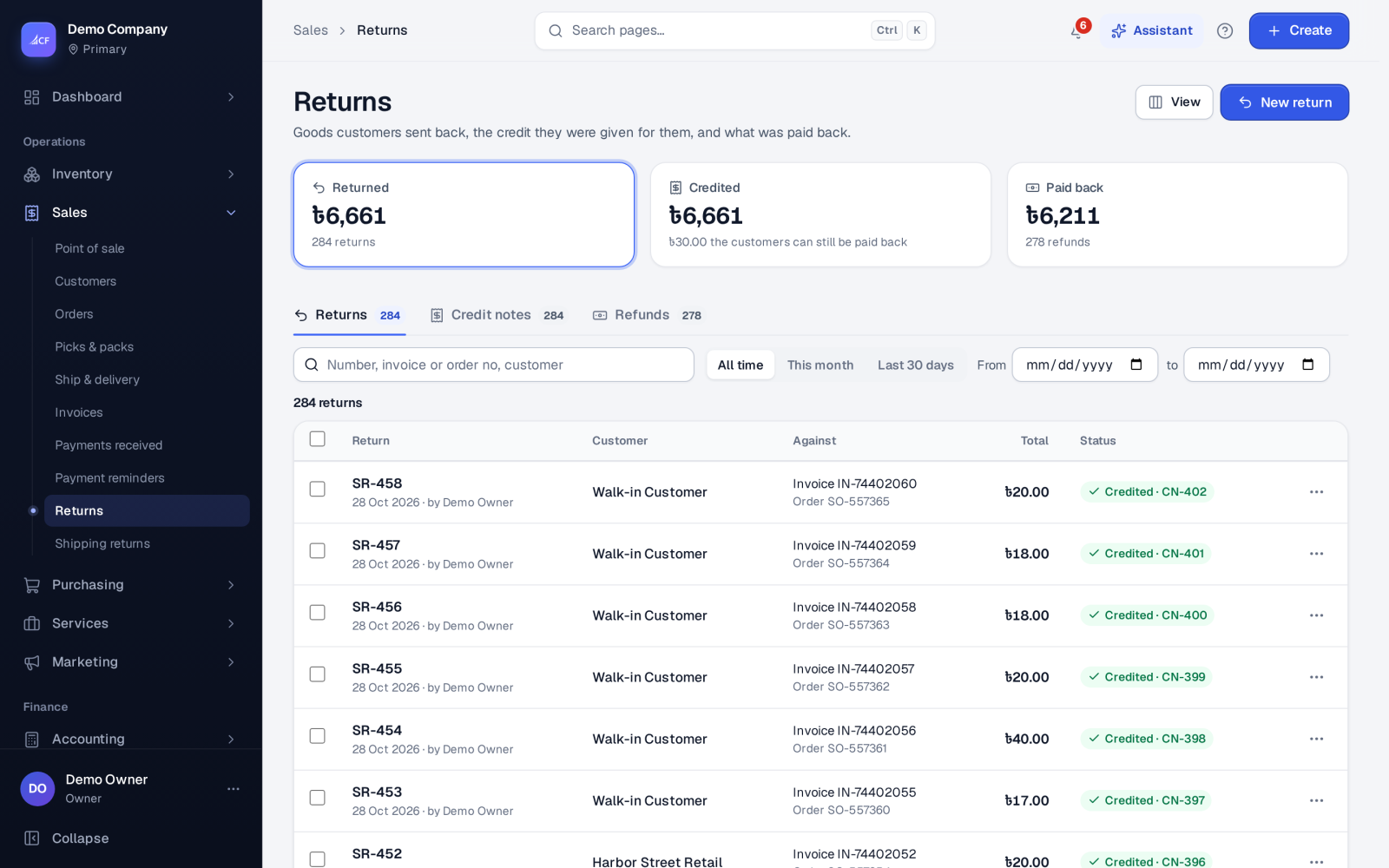
When a customer sends goods back, a sales return records it against the invoice they were sold on. Saving the return brings the goods back into stock; approving it makes the credit note. The credit is then refunded — by cash, bank or onto a gift card — or kept as the customer's credit for their next invoice.
Sales › Returns has three tabs: Returns, Credit notes and Refunds.
Who it is for
- Counter and customer-service staff who take goods back.
- Accountants who issue credit notes and refunds.
- Online sellers whose store refunds need to reach the books.
Before you start#
- The goods must have been sold on an approved invoice.
- The person needs the right to add sales returns; refunds need the customer refunds right.
- For tracked items, the lots and serial numbers that left on that invoice's pick are offered.
Step by step#
- Open Sales › Invoices and choose Return… on the invoice (or New return on Sales › Returns and pick the invoice).
- Enter the quantity of each line coming back, with the reason and condition.
- Choose the lots or serial numbers coming back, for tracked items.
- Save. The goods are back in stock and the return waits for approval.
- Approve the return. The credit note is made.
- Refund the credit note from the Refunds tab, or leave it as the customer's credit.
The New menu also has Quick return for a return and credit in one go.
What happens to the credit#
- The credit first reduces what the invoice still owes.
- Anything beyond that is the customer's credit. It can pay another invoice of the same customer, or be refunded from Undeposited Funds or a cash or bank account.
- Uncredit undoes an approval while no credit has been applied or refunded.
- A return still waiting can be corrected with Correct…: it is reversed and entered again under its number.
Credit note with no goods back#
For a refund or price allowance after invoicing — a goodwill discount, a part refund — use Credit note (no goods back)… on the approved invoice: the amount, the reason, and whether to pay back now. Revenue and tax go down in the invoice's own proportion; stock does not move. It can't be more than the invoice still carries after earlier credit notes.
Refunds made on the online store#
A refund made on a connected store is carried into the books by itself, once:
- Already invoiced: a store-refund credit note, and the money paid back from the account the store's payments came into.
- Not invoiced yet: the order's advance is reduced.
- Fully refunded with nothing picked: the order is cancelled.
This covers WooCommerce, Shopify, BigCommerce, Wix, Squarespace and TikTok Shop, among others. Refunds on Amazon, ePages, Shopee, Lazada and Walmart are not carried in yet.
How it posts to the books#
- Return saved: Dr Inventory / Cr Cost of Goods Sold, at the cost the goods left at.
- Return approved (credit note): Dr Sales Returns / Cr Accounts Receivable, with the tax.
- Credit note with no goods back: Dr Sales Returns & Allowances / Cr Accounts Receivable, tax carved out.
- Refund: Dr Accounts Receivable / Cr the account the money left from.
Delivery and other cost lines are never returned.
Limits and what is not there yet#
- A return is always made against an invoice; goods sold on a draft invoice are corrected on the draft.
- Parcels a courier brings back are handled first in Sales › Shipping returns — see couriers and shipping.
Questions#
Can the customer get a gift card instead of cash?
Yes. A refund can go onto a gift card as well as to cash or bank.
Can I swap goods at the till?
Yes. The till takes goods back from an earlier receipt and uses the credit on the new sale in the same checkout — see point of sale.
Why didn't the invoice close after the return?
It closes only when it is settled in full. If the return covered part of it, the rest is still owed.
Can I undo an approved return?
Use Uncredit, as long as its credit has not been refunded or used on another invoice.