
Purchase orders
Order goods from suppliers, route orders for approval by amount, send them to the supplier and follow each one until it is received and billed.
What it is
A purchase order is your commitment to buy: the supplier, the items, the quantities, the prices and the costs that come with them, such as freight or duty. Once approved, the goods are received against it, and each receipt makes the supplier's bill. Nothing is paid that was not ordered and received.
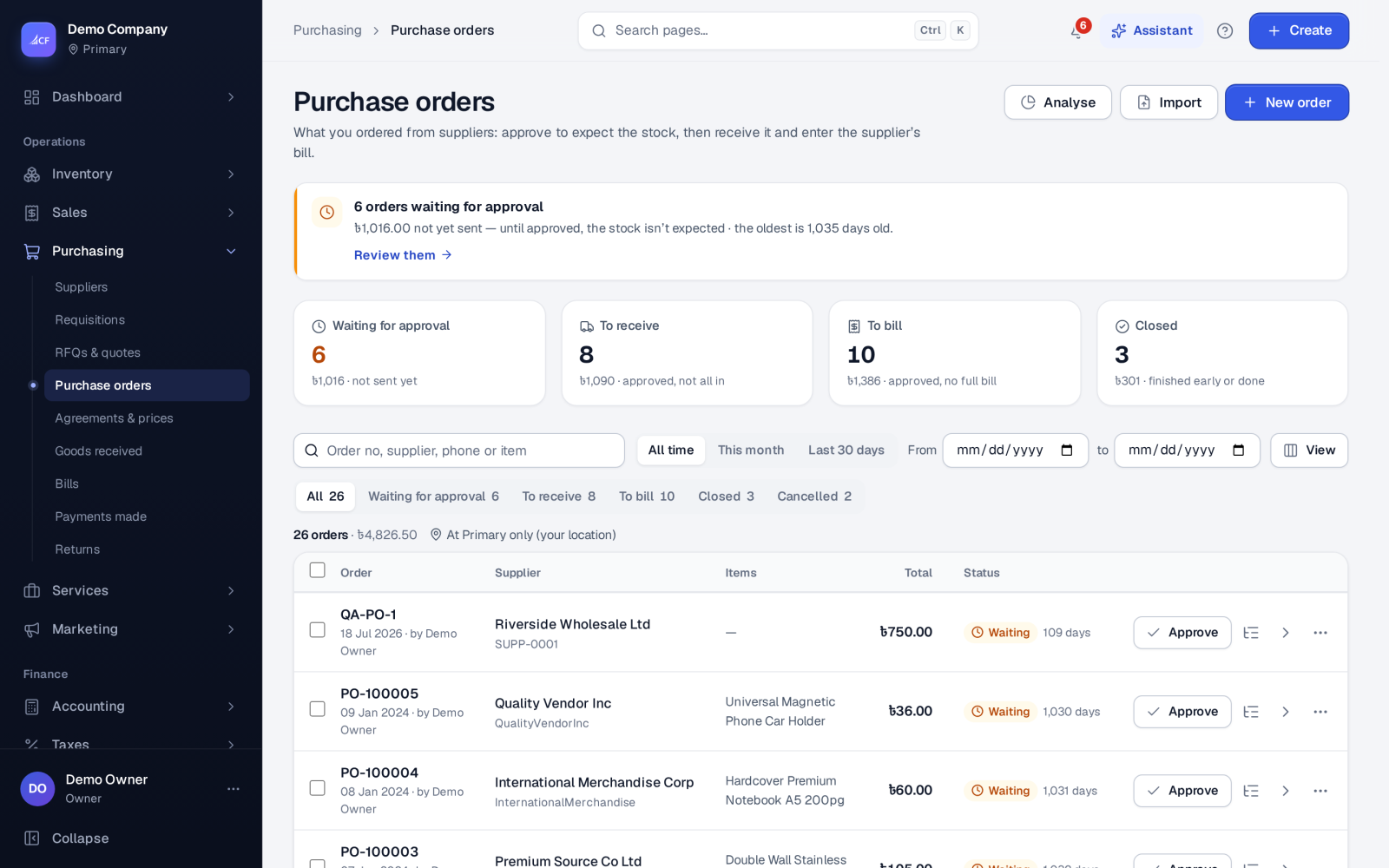
The list shows every order by stage, so you can see at a glance what still has to be approved, received or billed.
Who it is for
- Buyers who place orders with suppliers.
- Managers who approve spending above a limit.
- Warehouse staff who need to know what is on its way.
- Owners who want every bill traced back to an order.
Before you start#
- In Settings › Purchase, set Purchase process to Order → receive → bill → payment. With Bill → payment there are no purchase orders or goods receipts; you enter bills directly.
- Set Purchase order approval: Approve each order by hand, Approve automatically, or Approve automatically up to an amount. Once a purchase order workflow is published in Settings › Workflows, its steps decide instead.
- Show the parts you use under What purchase documents carry: Cost lines (freight, duty and other charges), Landed cost, Measurements, Attachments, Advance payments.
- The supplier must exist. Supplier price lists and agreements, if you keep them, price the lines for you.
Step by step#
- Open Purchasing › Purchase orders and choose New order.
- Pick the supplier and the location the goods go to.
- Add the items and quantities; prices come from the supplier's price list where there is one.
- Add any cost lines, such as freight or duty, and an advance if you pay part before the bill.
- Save. The order waits for approval unless your rule approves it automatically.
- Approve it (or let the approver do so from the approvals centre).
- Use Send to supplier… in the row menu to e-mail it, or print or download the PDF.
- When the goods arrive, choose Receive goods in the row menu.
Statuses and list views#
| View | Meaning |
|---|---|
| Waiting for approval | Saved, not yet approved |
| To receive | Approved, goods still to come |
| To bill | Approved, still to bill |
| Closed | Finished |
| Cancelled | Not going ahead |
Cancel order asks why: Supplier cancelled, Duplicate entry, Entered by mistake, No longer needed, Price / terms not agreed, or Other. Close order asks why when the order was not received in full: Supplier delivered short, Cancelled the rest, Substituted / replaced, No activity — stale order, or Other. A closed order can be reopened, and a cancelled one can be reopened with a reason.
Agreements and supplier prices#
Purchasing › Agreements & prices holds two things:
- Agreements: a blanket order with a supplier — quantities of items at agreed prices for a period. Each call-off is an ordinary purchase order priced at the agreement's prices; it cannot take more than is left on a line or fall outside the agreement's dates.
- Supplier prices: a supplier's price for an item from a quantity, valid between dates, with its lead time and their own item code. The order form uses the highest quantity break at or under the line's quantity.
Dropship and make to order#
With Dropship & make to order switched on in Business setup, an approved sales order can create purchase orders for its routed lines. A dropship order is delivered by the supplier straight to your customer, so its receipt moves no stock.
Working many orders at once#
Tick orders in the list to approve, close, cancel or reopen several together. The assistant's work queue does the same: approve the waiting orders, then receive the goods on each one. Each order still goes through its own rules, and a refusal never stops the others.
Limits and what is not there yet#
- A dropship or make-to-order line with no supplier (or no bill of materials) is reported and waits; the approval itself still goes through.
- Prices on an approved order are corrected on the bill (Correct prices…), not by editing the order.
Questions#
Who can approve a purchase order?
People with the approve right, within their own approval limit. A published workflow can add levels, amount limits and named approvers.
Can I receive part of an order?
Yes. Each receipt takes any part of what is still to come; the order stays in To receive until everything has arrived or you close it short.
What happens to an order I no longer need?
Cancel it while nothing has been received, choosing the reason. Once something was received, close it instead, again with a reason.
Can I order in a supplier's currency?
Yes, when the business works in several currencies. The documents keep amounts in your currency too, and the supplier's balance is kept in theirs. See multi-currency.