
Gift cards
Issue paid or promotional gift cards, take them as payment at the till and on sales, refund to store credit and keep the liability right in the books.
What it is
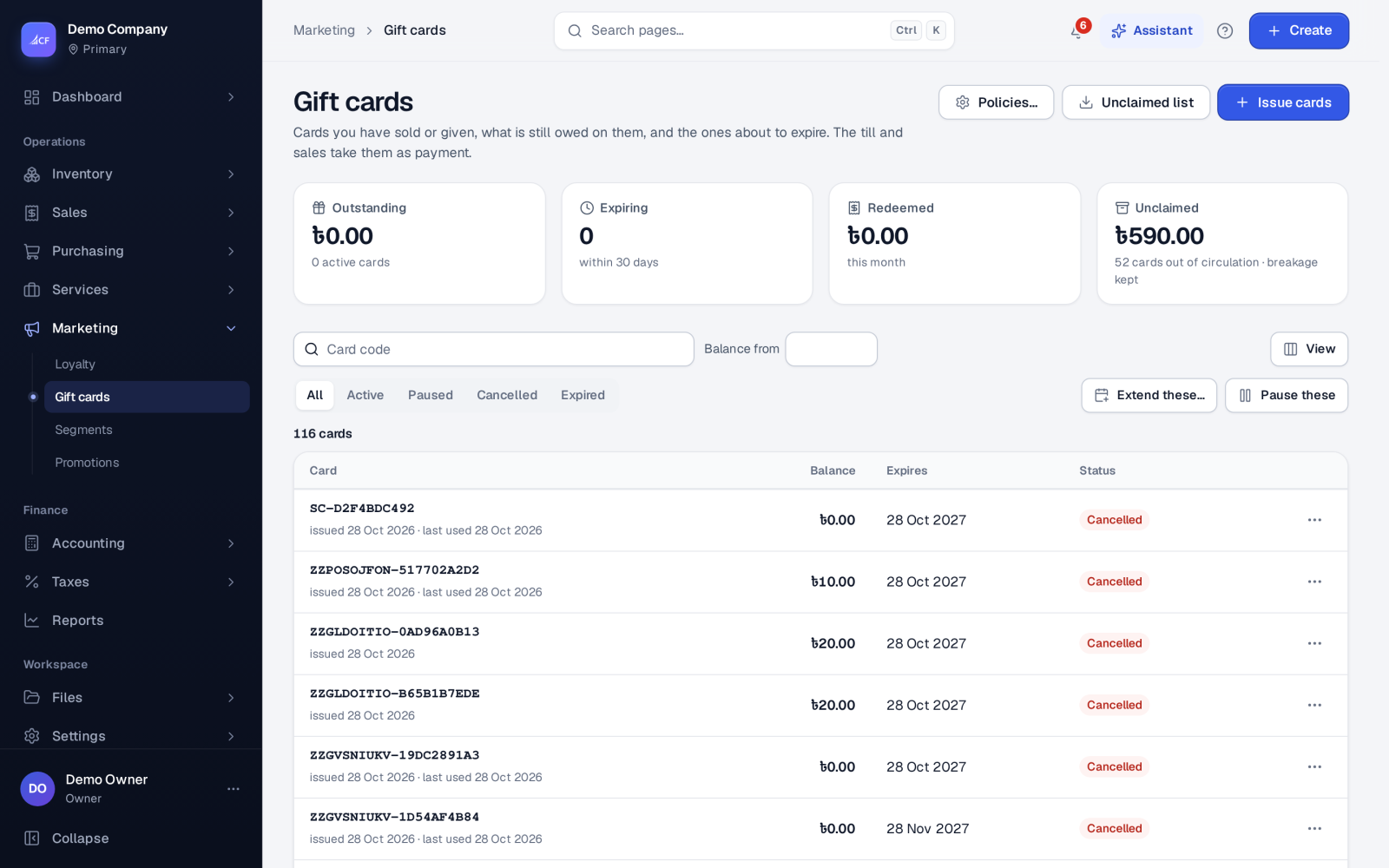
Gift cards are credit that the person holding the card can spend. Marketing › Gift cards lists the cards you have sold or given, what is still owed on them, and the ones about to expire. The till and sales take them as payment, and a refund can be put on a card as store credit.
Each card has a code, a balance in your currency, an expiry date and a status: active, paused, cancelled or expired. Every reload, payment and status change is a line in the card's history with its journal.
Who it is for
- Shops that sell gift cards at the counter or online
- Businesses that give promotional cards to customers
- Teams that refund to store credit instead of cash
- Accountants who need the unspent balance shown as a liability
Before you start#
- Rights on Gift cards: view; add (issue, reload, redeem); edit (status, extend); delete.
- Check Policies…: how long cards are valid and what happens to value left on cards that leave circulation.
Step by step#
- Open Marketing › Gift cards and choose Issue cards.
- Enter how many cards, the amount on each, the code prefix and how many months they are valid.
- Say whether the cards were paid for or are promotional, then issue them. Each card gets a random code that starts with your prefix.
- To take a card as payment at the till, choose Gift Card as the payment method and type the code. The app checks the card's status, expiry and balance first.
- To add value later, open the card and reload it.
Working with cards#
- Reload adds value to any card that is not cancelled.
- Redeem takes value off an active card that has not expired, never more than its balance.
- Status: pause, cancel or re-activate one card, or Pause these for the active cards on screen.
- Extend these… moves the expiry date on by a number of months, for one card or the active cards on screen.
- Delete is only possible for an unused card with no balance.
- Unclaimed list lists cards out of circulation that still hold value, for a breakage or unclaimed-property review.
Expired cards are marked expired each night.
Policies#
- Breakage: keep the liability (default), or recognise the unused value as income when a card leaves circulation.
- Minimum validity and usual validity. The usual validity is 12 months by default and cannot be shorter than the minimum.
- Refunds to store credit: on by default. A sales refund can then be put on an existing card by its code, or on a new store-credit card.
How it posts to the books#
- A paid card: Dr Undeposited Funds, Cr Gift Card Liability.
- A promotional card: Dr Gift Card Promotions (an expense), Cr Gift Card Liability.
- A card used as payment reduces Gift Card Liability.
- A refund to a gift card: Dr the customer's receivable, Cr Gift Card Liability.
- Breakage, when you recognise it: Dr Gift Card Liability, Cr Gift Card Breakage Income. Re-activating the card reverses it.
Cards and their journal are saved together, so the list and the books always agree.
Limits and what is not there yet#
- One gift card per sale at the till.
- At the till, a gift card pays a plain sale only (paid in full at once). For an account sale, take the card as a separate sale.
- Dates follow the business's own date and time zone.
Questions#
Can I give gift cards away for free?
Yes. Issue them as promotional. Their value is booked as an expense, not as money received.
What happens to value left on an expired card?
With the default policy, the liability stays on your books. With recognise on, the remaining value moves to breakage income. Re-activating the card brings it back.
Can a customer check their balance at the till?
Yes. When the cashier enters the card code, the till shows its balance and status before taking the payment.
Can a refund go on a gift card?
Yes, when Refunds to store credit is on. Choose an existing card by its code, or create a new store-credit card in the refund.