
Point of sale and cash register
Sell at the counter with shifts and cash counts, split payments, returns, customer accounts, parked sales, receipts and an offline till.
What it is
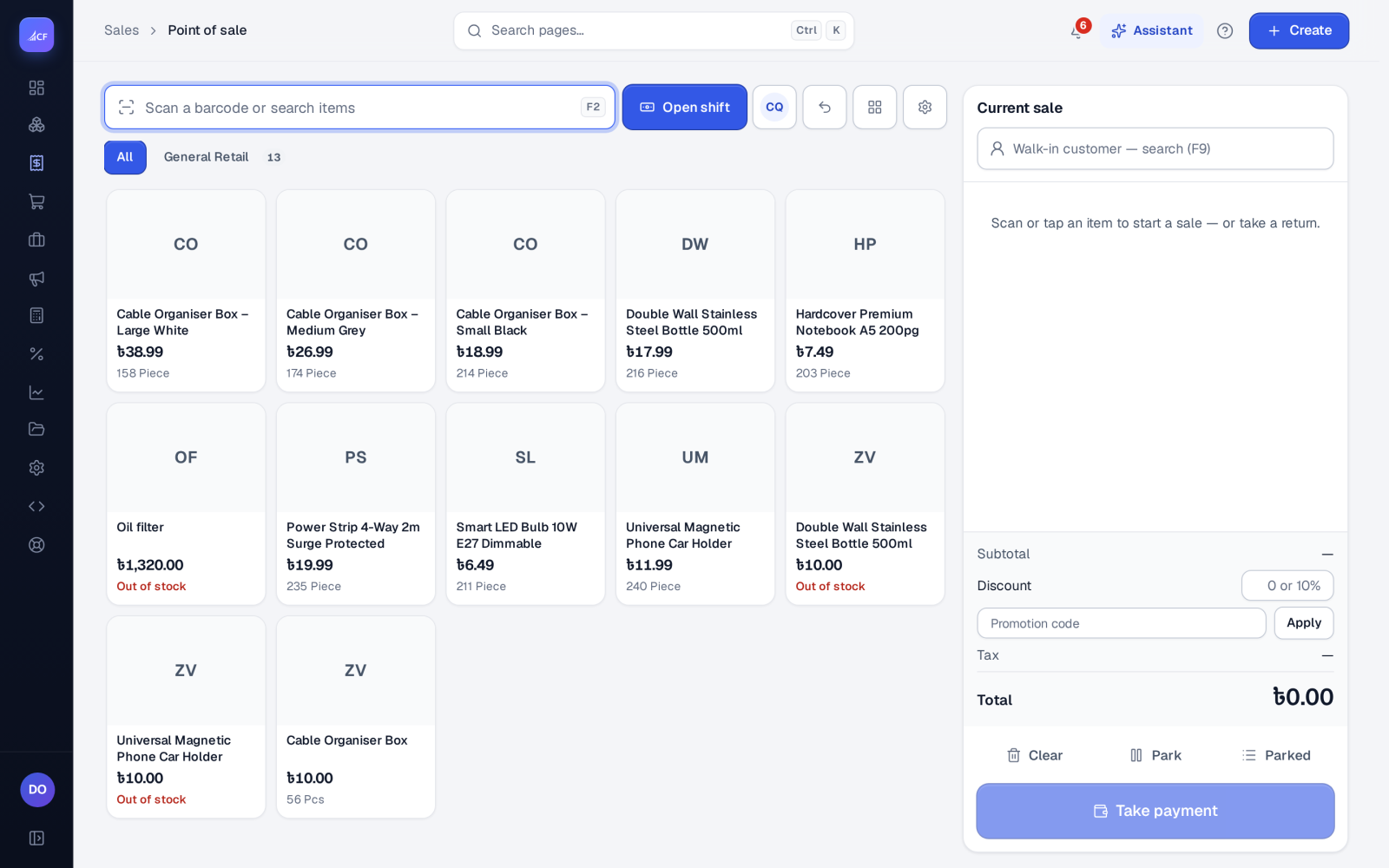
The point of sale is the till. A cashier opens a shift, scans or taps products, takes the payment — split across methods, with the customer's credit and earlier dues if needed — and prints the receipt. Each sale records the order, the goods out, an approved invoice and one payment per method in one step, so stock and books are current the moment the customer leaves.
Prices, taxes and discounts are worked out by the server with the same rules as a sales order, so what the till shows is what the sale charges.
Who it is for
- Shops, counters and showrooms that sell on the spot.
- Cashiers who share a till and switch between them.
- Managers who approve large discounts and check the cash at the end of a shift.
Before you start#
- Set up registers and their cash accounts in Accounting › Cash manager.
- Choose Till options: the simple view (scan, cart, pay) or a custom view, the columns shown, returns, and the customer's account at the till.
- Give each cashier a till PIN (4 to 6 digits) for switching cashier and for manager approvals.
- Switch on Offline till in Settings › Business setup if the till must keep selling when the internet drops.
Step by step#
- Open Sales › Point of sale and choose Open shift; enter the opening float.
- Pick the customer, or leave the walk-in customer.
- Scan barcodes, search, or tap products from the quick picks or categories.
- Change quantities, add a line or order discount, or enter a Promotion code.
- Choose Take payment and enter each method used — cash, card, gift card, mobile wallet.
- Give change from cash; the sale is recorded.
- Print the receipt (58 or 80 mm), or a gift receipt with no prices.
- At the end of the shift, close it and count the cash against what was expected; Accounting › Cash manager keeps every shift, the short or over, and each cash added, dropped or paid out.
Parking, returns and switching cashier#
- Park puts a cart aside; Parked brings it back on any till of the business.
- Return goods from an earlier receipt (F8) finds the receipt by its barcode or among the customer's recent invoices and shows what is left to return. The credit can go towards the new sale in the same checkout, be refunded, or be kept for a named customer. Till options set the return window in days, the reasons, and a manager PIN above an amount.
- Switch cashier changes who the sale is attributed to; five wrong PINs lock that person's PIN for five minutes.
- A discount above the business's limit needs a manager's PIN, and the server checks it.
The customer's account at the till#
With the account option on, the till shows a named customer's unpaid invoices, their credit and their credit limit. One payment can settle the sale and earlier dues together, either current sale first or oldest invoice first. A part-paid sale can go on account for a named customer within their limit; a walk-in customer always pays in full. Card or other non-cash money above what is owed is refused; extra cash is change.
The offline till#
With Offline till on, the till keeps a copy of what it sells and keeps selling when the network is gone. When it reconnects, each kept sale is recorded once, on the day it was sold, at the price the customer paid. Anything the server refuses — an item removed, a closed period, a discount over the limit — waits for a manager to post or void with a reason; it is never lost. Gift cards, points, promotion codes, returns, payments on account, lot or serial items and price lists need the network at the moment of sale.
How it posts to the books#
A till sale posts like a fulfilled order: Dr Cost of Goods Sold / Cr Inventory for the goods, Dr Accounts Receivable / Cr Sales and Sales Tax for the invoice, and one payment per method into its deposit account. Cash counts into the cashier's open shift; cards do not. A cash refund is a payout from the shift.
Questions#
Can two cashiers use one till?
Yes. Each switches in with their PIN; the sale is attributed to the cashier on the till, while the signed-in person's rights still decide what may be done.
Can a customer earn and spend loyalty points at the till?
Yes, along with gift cards and promotion codes, when those programmes are on — see loyalty and gift cards.
What if a sale is sent twice when the network is slow?
Each sale carries its own reference, so a resend is answered "already recorded" and never sells twice.
Is there a back-office version of the till?
Yes. Cash sale in the New menu sells and takes payment on one form, with the full order editor.