
Customer management
Keep each customer's details, contacts, terms and credit limit, see what they owe and buy, send statements and set their credit status.
What it is
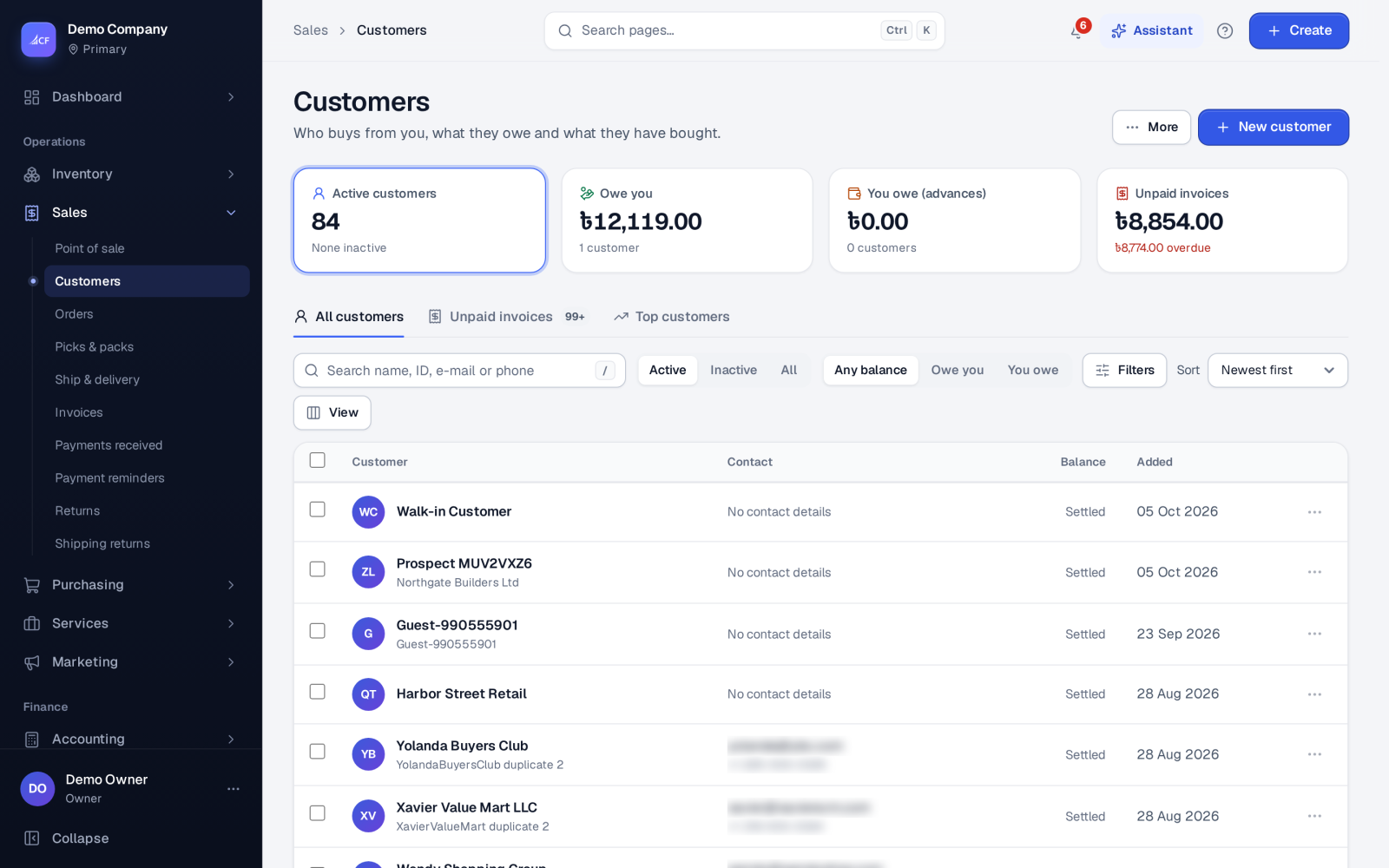
The customer list holds everyone you sell to. Each customer has a page with their details, the people you deal with, loyalty, repeat purchases, performance, a statement and every document. The balance shows whether they owe you or you owe them — for example an advance not yet used.
Customers who order from a connected online store are matched by e-mail address, so the same buyer never becomes a second contact.
Who it is for
- Sales staff who take orders and answer customer questions.
- Credit controllers who set limits and chase what is owed.
- Accountants who send statements and refund credits.
- Owners who want to see their best customers.
Step by step#
- Open Sales › Customers and choose New customer.
- Enter the Customer ID, the billing name, e-mail, phone, address and Tax ID.
- Untick Shipping is the same as billing if goods go to another address, and enter it.
- Use Add a person for the people at the customer.
- Save the customer.
- Select one or more customers and choose Update to set Payment terms, Payment method, Shipping method, Default discount (%), Credit limit, group or status.
- Open the customer's page and choose New sale to start an order or invoice for them.
The customer list#
| View | Shows |
|---|---|
| All customers | Everyone, with their balance |
| Unpaid invoices | Customers who owe you |
| Top customers | Who buys most |
Filter by status, by balance (Owe you or You owe) and by the date they were added. The More menu holds Import from a spreadsheet, Export current list (CSV), Find duplicates and Balances that differ from documents….
The customer's page#
- Overview, People, Loyalty (points, when the loyalty programme is on), Repeat purchase and Performance.
- Statement: what passed between you for a period; Send statement… in the More menu e-mails it.
- Documents: every quotation, order, invoice, payment and return.
The order editor also learns from each customer's own history: what they usually buy, the usual quantity, the last price they paid, their usual terms. It offers these as suggestions and says why; nothing is applied without you choosing it.
Credit limit and credit status#
- The Credit limit on the customer works with the business's credit control setting (off, warn or block) — see payments and receivables.
- Credit status… in the More menu sets where the customer stands: In good standing; On hold — no new credit sales; Blocked — no sales; With a collection agency; Insolvent / bankrupt; or Deceased. Any status other than good standing means no new credit sales: new orders and direct invoices for the customer are refused, with the status and its note shown. Payment reminders leave such customers alone.
Refunding a customer's credit#
A customer can hold credit with no credit note — an advance on an order closed unfilled, or an overpayment. It shows as You owe on their card. Pay it back from the customer's page with More › Refund their credit…, choosing the cash or bank account it leaves from, or Paid by the owner personally.
Merging, privacy and removing#
- Merge joins duplicate customers, with Fill empty details from the others.
- Export personal data and Erase personal data… answer a customer's privacy request — see privacy and retention.
- Mark inactive hides a customer you no longer serve; Delete is offered only where the app allows it.
Questions#
How do I bring in my existing customers?
Use More › Import from a spreadsheet on the customers list, with an Excel or CSV file.
Can I give a trade customer different prices?
Yes. Set a Default discount (%) on the customer, switch on Tiered (wholesale) prices in Settings › Sales, or use price lists in Settings › Price lists.
Why does a customer show "You owe"?
They hold credit with you — an unused advance, an overpayment or a credit note's credit. Use it on their next invoice or refund it.
What does "On hold" stop?
New credit sales: new orders and direct invoices for the customer are refused until the status is set back to good standing, and payment reminders leave them alone.