
Picking, packing and delivery
Pick approved orders with lots and serials, pack them into packages, record what left the warehouse and when it was delivered, and invoice it.
What it is
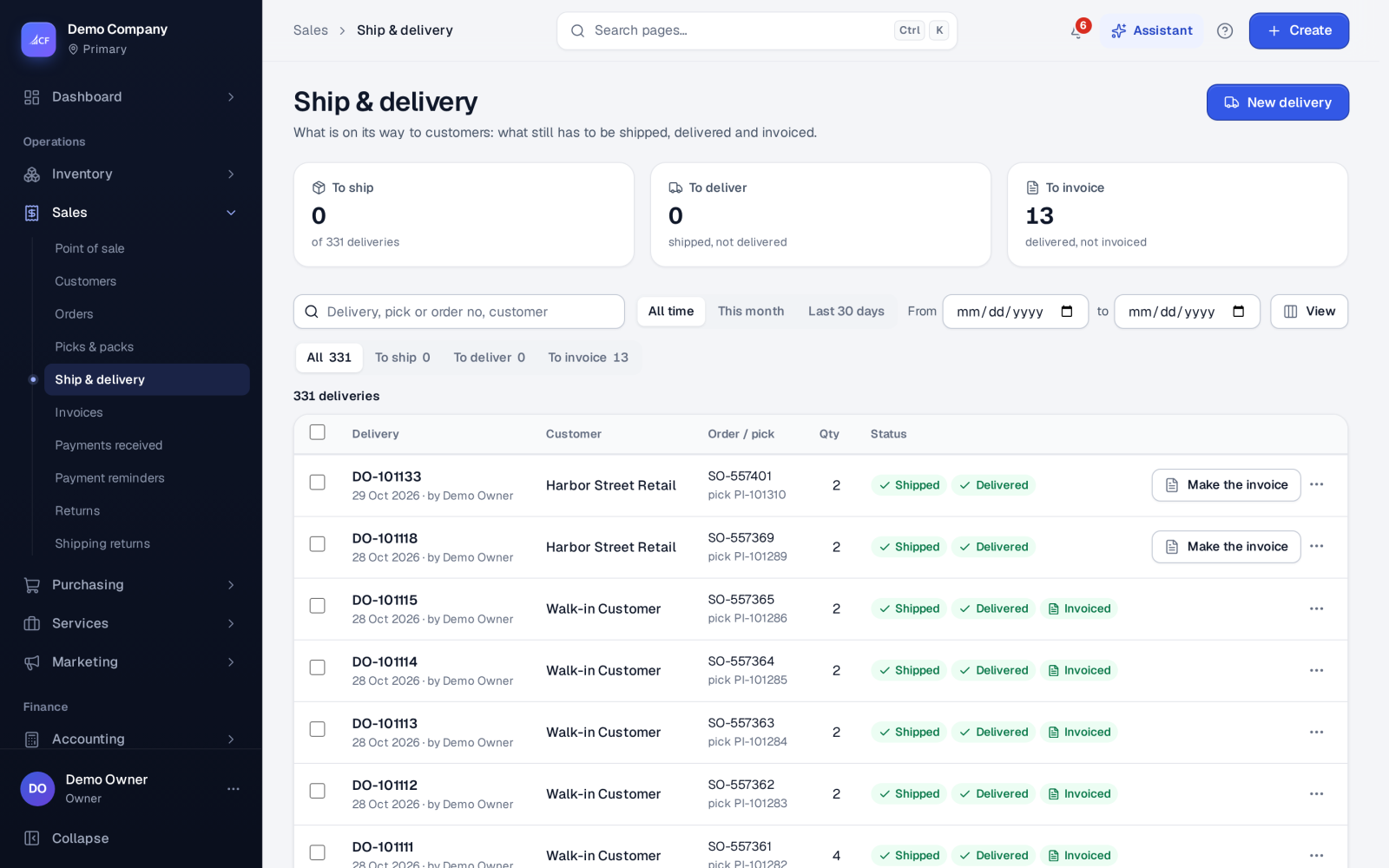
Fulfilment is everything between an approved order and its invoice. A pick takes the goods off the shelf for an order; a pack puts them into packages; a delivery records what left the warehouse for the customer, by which carrier, with which tracking number, and when it was delivered. Which of these steps you use depends on your sales process.
The pick is where stock leaves and cost of goods posts. The delivery posts nothing; it is the record of the shipment.
Who it is for
- Warehouse staff who pick and pack orders.
- Dispatchers who hand parcels to couriers.
- Sales staff who answer "where is my order?".
Before you start#
- The order must be approved.
- Your sales process decides the steps: pick and pack, pack only, with or without a delivery, invoice before or after delivery.
- Tracked items need their lots or serial numbers at the pick. The Expired batches setting (Settings › Inventory) blocks or warns on an expired lot.
- Stock below zero is refused by default: the goods must be in stock to leave.
Step by step#
- Open the approved order from Sales › Orders › To pick.
- On its Fulfilment panel, choose Mark as picked for the whole order, or make a pick by hand for part of it (New pick on Sales › Picks & packs).
- For tracked items, choose the lots (with what each holds and its expiry) or the serial numbers.
- Open the pick's Packages to pack it into packages, if you pack.
- Send the pick to delivery; the delivery appears on Sales › Ship & delivery.
- Set the carrier and tracking number with Edit delivery…, or book it with a connected courier.
- Mark it shipped, then delivered when it arrives.
- Choose Make the invoice on the delivery, if the invoice comes after delivery.
Faster ways#
- Deliver & invoice: an approved order nothing was made from yet is picked, delivered and invoiced in one step. Lot and serial items need a real pick instead.
- Mark as picked runs the next steps your settings ask for — packed, charges billed, delivery made, draft invoice — in one go.
- A pick sheet for many orders adds up everything still to pick per item, ordered by rack, so the picker walks the shelves once; each order's share is listed under the item.
- The assistant's sales-orders work queue does approve, pick, then deliver and invoice across many orders.
List views#
Picks & packs: All, Not marked picked, To send to delivery. Ship & delivery: All, To ship, To deliver, To invoice. Shipped and delivered are separate statuses.
Correcting#
- Edit pick… until its invoice is approved: change quantities, add or remove products. The pick is reversed and entered again under its number; stock, cost, the delivery and the draft invoice follow.
- Edit delivery… until it is delivered: the header only — date, carrier, tracking number, ship-to and notes. The method and tracking number are locked once a courier booked the parcel.
- A pick not sent to delivery, with nothing paid on its bills, can be deleted; everything it did is put back.
How it posts to the books#
- Pick: Dr Cost of Goods Sold / Cr Inventory at the average landed cost; the reservation is released.
- Delivery: nothing.
- Charges on the pick or delivery: a supplier bill for a cost bought in, such as a courier's fee, to the Courier Charges expense.
- Invoice: the sale, when approved — see sales invoicing.
Questions#
Can I deliver part of an order?
Yes. Pick part of it; that pick makes its own delivery and invoice. The rest stays in To pick.
Can a delivery carry less than its pick?
No. A delivery always carries the whole pick; correct quantities on the pick.
Why can't I change the tracking number?
The parcel was booked with a courier, which owns the consignment and label. Cancel the courier booking first — see couriers and shipping.
Where do I print a delivery note or label?
From the delivery's row menu: Print, Download PDF or Shipping label.