
Stock adjustments
Record stock you found, damaged, lost or wrote off. Each adjustment waits for approval, then stock and the journal move together at cost.
What it is
A stock adjustment corrects the quantity of one or more items at a location without pretending a sale or a purchase happened. It goes one of two ways:
- Stock in — found, returned or counted more; added at the cost you enter, or the average cost.
- Stock out — damaged, lost, expired or used; removed at the average cost.
Nothing moves while an adjustment waits. On approval, stock and the journal move together, and the approval cannot be undone — a mistake is corrected with another adjustment.
Who it is for
- Warehouse and shop staff who find breakage, loss or surplus
- Managers who approve write-offs
- Bookkeepers who want every stock correction explained and valued
- Owners who need a trail of who changed stock and why
Before you start#
- People who record adjustments need the add right on stock adjustments; people who approve need the approve right, which can carry an amount limit.
- If an approval workflow covers stock adjustments, the adjustment is routed to the approver first (see Approvals centre).
- For lot- or serial-tracked items, lots and serials are chosen on each line.
Step by step#
- Open Inventory › Adjustments and choose New adjustment.
- Under Direction, choose Stock in or Stock out.
- Choose the Location and the Date.
- Add each item under Items — search by name, SKU or barcode. Each item shows what is on hand at this location.
- Enter the Quantity and unit; for stock in, enter the cost per unit or leave it to use the average cost.
- For tracked items, choose the lot in stock here or type the new lot number, and the serial numbers (one per unit).
- Fill in the Person responsible and the Reason, and attach photos or documents if you have them.
- Choose Save adjustment, or Save and approve if you hold the approve right.
The adjustments list#
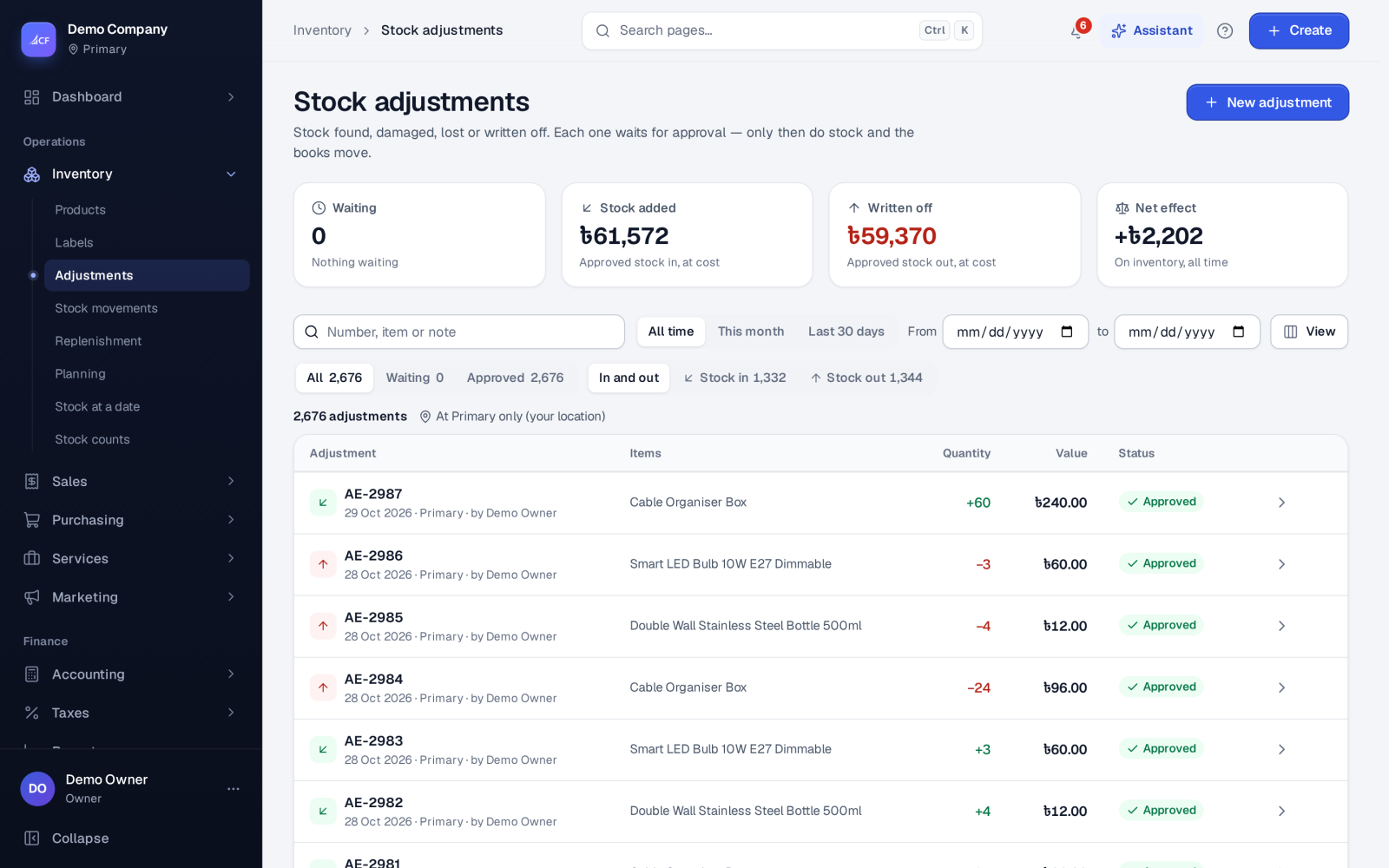
The list shows each adjustment's items, quantity, value and status, with views for All, Waiting, Approved, Stock in and Stock out, and a period filter. Tick waiting adjustments to review and approve several at once.
While it waits, the form shows On hand after for each line and an estimate at today's average cost — approval posts the exact value.
Costs on an adjustment
Under Costs you can add cost lines (for example disposal or freight). A cost line marked billable becomes a supplier bill on approval, for the supplier and payment term you choose.
Deleting
Only adjustments still waiting for approval can be deleted; nothing has moved for them yet, and serials they held become free again. A deleted adjustment goes to the recycle bin. An approved adjustment is reversed by another adjustment, never deleted.
How it posts to the books#
On approval, the net value of the adjustment posts:
- Net gain (more stock than the books show): debit Inventory, credit Inventory Adjustment Gain.
- Net loss (shrinkage, damage, theft): debit Inventory Adjustment Loss, credit Inventory.
Stock in re-weights each item's average cost by the cost you entered. Connected online stores receive the new stock figure after approval.
Rules that protect your stock#
- A stock out can never take more than is on hand at the location, whatever the stock below zero setting.
- An adjustment is refused at a location while a stock count there has frozen the stock.
- Services and not-stocked items are left out — they hold no stock.
Limits and what is not there yet#
- One adjustment is one direction at one location; record in and out as two adjustments.
- Approval is final; there is no "unapprove".
Questions#
Should I use an adjustment or a stock count?
Use an adjustment for a known event — a broken carton, a returned sample. Use a stock count when you check the shelf against the system; its approval creates the adjustment for you.
Why was my stock out refused?
There is less on hand at that location than the quantity you entered, or a count has frozen the location. Check the item's on hand, or wait for the count to be approved.
Can I correct an approved adjustment?
Yes, with a new adjustment in the opposite direction. Both stay in the history, so the trail stays complete.
What cost does a stock out use?
The item's average cost at that location at the moment of approval.