
Closing, cancelling and reopening
When an order, invoice or bill may close, how to cancel and reopen one under the same number, and why every close, cancel or write-off asks a reason.
What it is
Documents in the app follow the same rules that accounting standards and mature business systems use:
- An invoice or a bill is closed only when it is settled. That means paid, returned or written off in full. If you undo a payment or a return, the invoice or bill opens again by itself, with a line on its timeline saying why.
- An order closes on fulfilment, not on payment. It closes when it is complete, or "short" with a reason. The money is followed on the invoice.
- Nothing issued is deleted. A wrong invoice or bill is voided with a reason and keeps its number.
Every close, cancel, reopen, void and write-off asks for a reason. You choose it from a short list and can add a note. The reason is kept in the document's history and the audit trail, and reports can group by it.
Who it is for
- Sales and purchasing staff who close, cancel and reopen orders
- Accountants who need receivables and payables that are never hidden by a "closed" status
- Auditors who expect a reason and a person behind every status change
- Owners who want an honest list of what is still owed
Cancel or close?#
The page offers one or the other, never both:
- Cancel order is for an order nothing was made from: nothing picked, delivered or invoiced. Cancelling releases its reserved stock, withdraws any approval request, and keeps the order in the list as cancelled. Any advance the customer paid becomes their credit.
- Close order is for an order fulfilled in full or in part. If it isn't invoiced in full, closing asks why (for example Out of stock, Delivered short, accepted, or From before going live). An order can't close while a delivery is not yet invoiced: invoice that delivery first.
If something was already picked or invoiced and the order should not stand, undo it first (return the pick, void the invoice), then cancel. Or close it with a reason.
Step by step#
- Open the order in Sales › Orders and choose More.
- Choose Cancel order if nothing was done on it, or Close order if it was fulfilled in full or in part.
- Pick the reason from the list, add a note if it helps, and confirm.
- To bring it back, open it and choose Reopen…, pick why, and confirm.
Reopening#
- A closed order reopens to approved. The reasons include Closed by mistake and Customer resumed the order.
- A cancelled document can be reopened under the same number. This works for sales orders, purchase orders, transfer orders, requisitions, jobs and quotations. The reason is required, and the history records the move from cancelled to its new state.
- A reopened cancelled sales order reserves its stock again and can be approved again. You can choose to put the customer's credit from the cancel back on the order.
- Not reopened: a document cancelled as a duplicate or entered by mistake (its twin is the live one), marketplace orders, refunded orders, orders with later documents, and Shopify orders, which Shopify can't un-cancel.
- If your workflow has its own "reopen a cancelled" step, the workflow decides who may do it.
Invoices and bills#
- Void a wrong invoice with a reason (Issued by mistake, Duplicate, Wrong customer / supplier, Wrong amount or items, Reissued with corrections, Other). Its journal is reversed and its number kept.
- Write off what will never be collected, all or part, or settle for less, with a reason. A later payment recovers it.
- A remainder up to the Small-balance write-off amount in Settings › Purchase is written off without an approver's limit applying.
Why every action asks a reason#
A closed or cancelled document without a reason is a gap in the audit trail. Was it a mistake, the customer, or stock? Reason codes let reports count why orders are cancelled, such as refused at the door, fake order or out of stock. They also let a reviewer see who decided and why.
Automatic closing and cancelling#
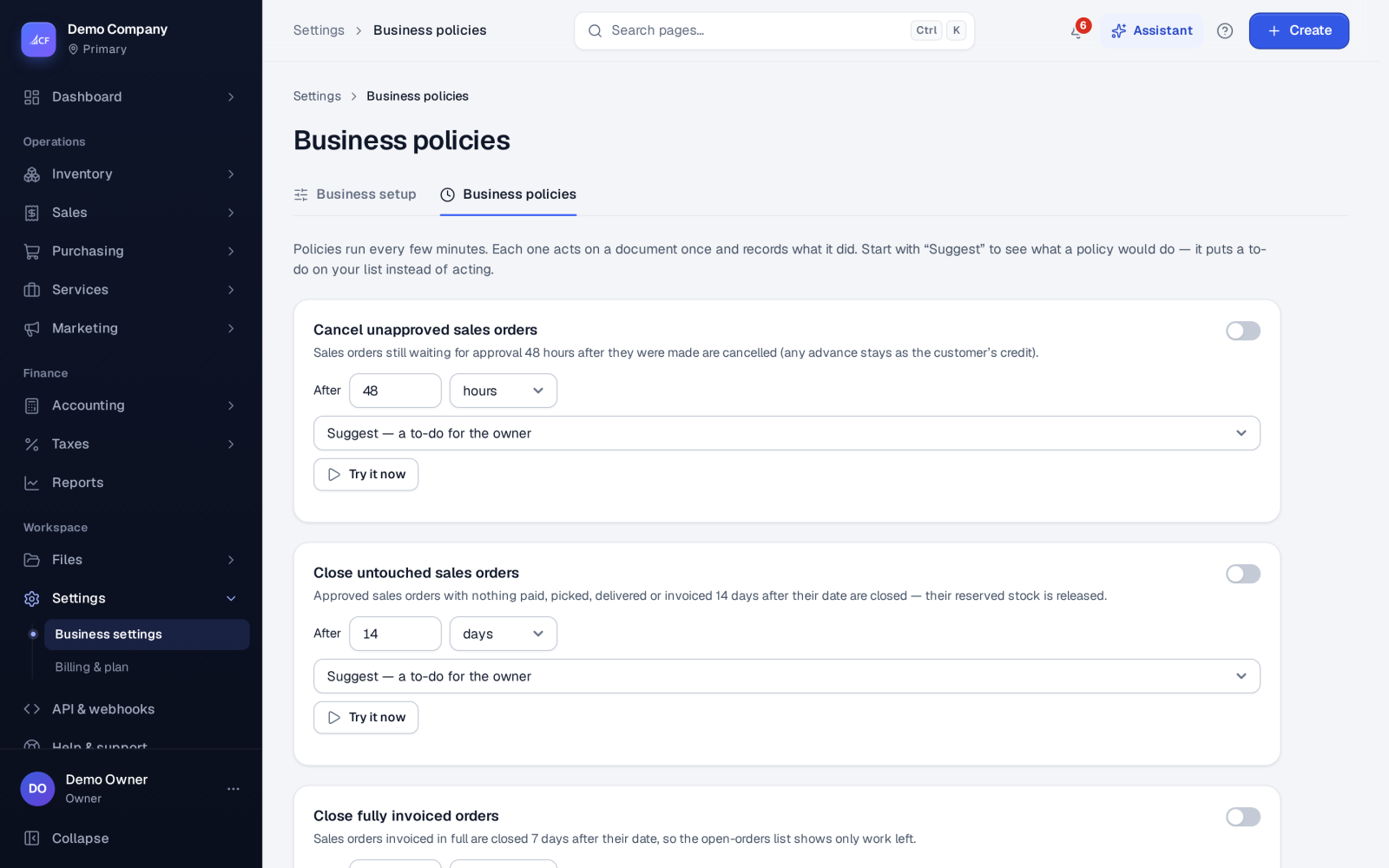
Automations can cancel sales orders still waiting for approval after 48 hours, and close approved orders with nothing paid, picked, delivered or invoiced after 14 days. They release the reserved stock. Each automatic action records its own reason.
Questions#
Why is my paid order still open?
An order follows fulfilment. Payment doesn't close it. It closes when everything is delivered and invoiced, or when you close it short with a reason.
An invoice reopened by itself. Why?
A payment, return or write-off on it was undone, so it owes money again. Its timeline says what changed.
Can I delete a cancelled order?
Cancel it instead of deleting it: a cancelled order stays in the list with its reason and history. Reopen it if it is needed after all.
Where do I find orders closed without an invoice?
The orders list has a Closed, not invoiced view, and Books integrity flags them.