
Requisitions, RFQs and supplier quotes
Let staff ask for what they need, send requests for quotation to suppliers, compare their quotes and award the best into purchase orders.
What it is
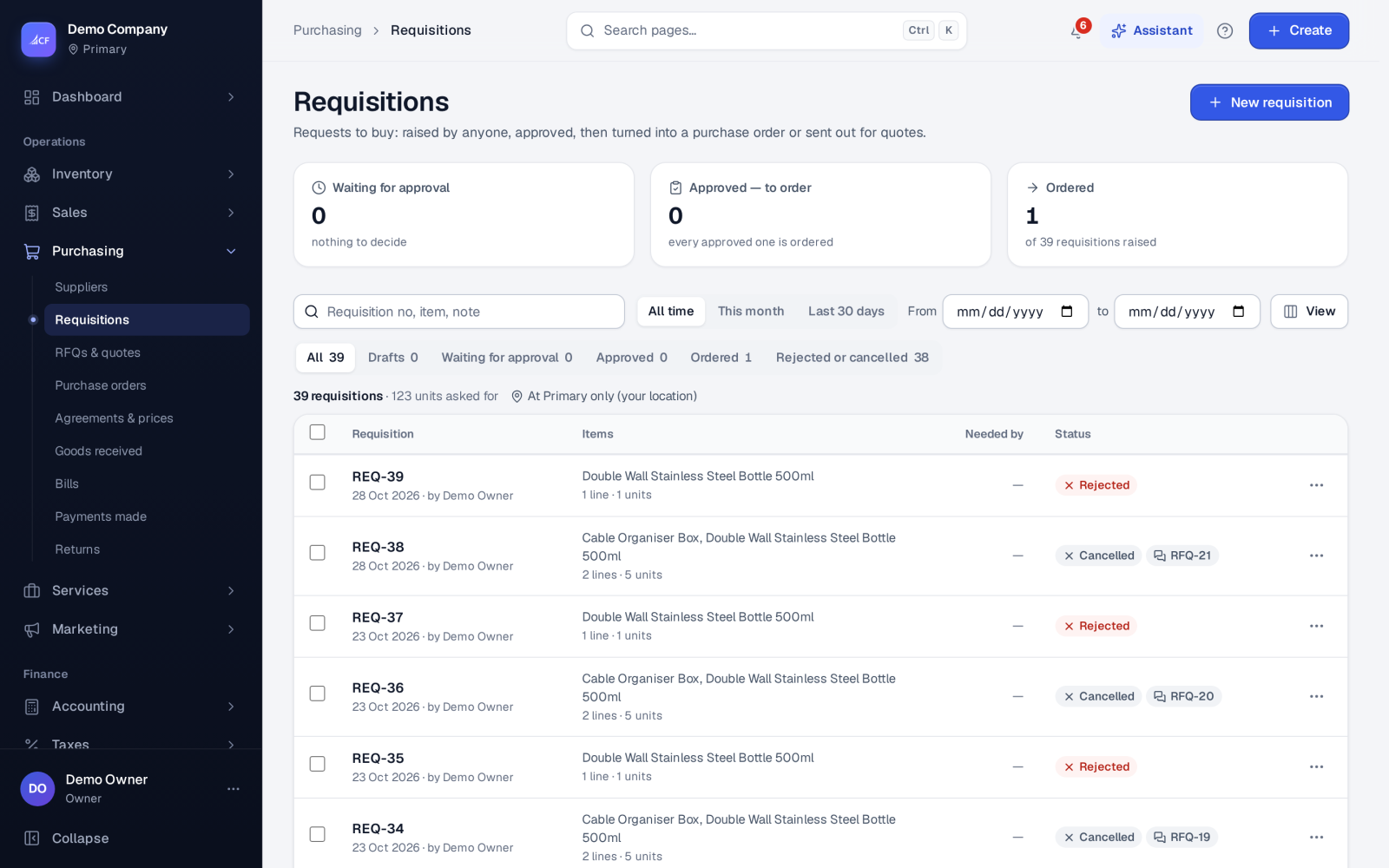
A requisition is a request from someone in the business to buy something: the items, the quantities and the date they are needed by. It carries no prices and moves no stock or money. Once approved it is turned into a purchase order, or into a request for quotation (RFQ) when you want prices first.
An RFQ lists what you want priced and goes to several suppliers. Each supplier answers with a quote, either through a private link or recorded by you when it came by phone or e-mail. You then award each line to the quote you choose, and the app makes one purchase order per winning supplier.
Who it is for
- Staff and departments who need goods but do not place orders themselves.
- Buyers who want competing prices before they commit.
- Managers who approve spending before any order exists.
- Businesses with an audit or tender rule that needs a record of who asked, who quoted and who won.
Before you start#
- Switch on Purchase requisitions and, if you want quotes, Requests for quotation in Settings › Purchase. Each menu item shows only when its switch is on.
- Choose Approve requisitions automatically (Yes approves a requisition as soon as it is submitted, with no approver step).
- Set Supplier quote link lasts (24 hours, 48 hours, 72 hours, 7 days or 14 days) and Send requests for quotation by (Email, SMS, or Email and SMS — SMS needs an SMS provider, with an optional daily cap).
- The suppliers must exist, with an e-mail address or mobile number for the link to reach them.
Step by step#
- Open Purchasing › Requisitions and choose New requisition.
- Add the items, the quantities and the Needed by date, then save it as a draft.
- Submit it; it waits for approval (unless requisitions are approved automatically).
- An approver opens it and approves or rejects it, with a reason for a rejection.
- From the approved requisition, make an RFQ (or a purchase order straight away).
- In Purchasing › RFQs & quotes, add the suppliers and send the RFQ; each gets a private link.
- Record any quote that arrives by phone or e-mail; quotes sent through the link appear by themselves.
- Award each line to a quote; the app makes one purchase order per winning supplier and the others are rejected.
Requisition statuses#
| Status | Meaning |
|---|---|
| Draft | Being written; can be edited or cancelled |
| Submitted (Waiting for approval) | Sent for a decision |
| Approved | Ready to become an RFQ or a purchase order |
| Ordered (converted) | Turned into an RFQ or a purchase order |
| Rejected or cancelled | Not going ahead; a rejection keeps its reason |
A draft or submitted requisition can be cancelled. The row menu offers Reopen… for one that was cancelled, and Open RFQ once an RFQ was made from it.
How quotes are compared#
An RFQ is draft, then sent (Out for quotes in the list), then closed once every line is decided; it can also be cancelled. A supplier's quote is pending until it wins, loses or wins only part of the lines.
When you award, the app can suggest the best quote for each line. It scores price (lower is better), lead time (shorter is better) and payment terms (longer is better) across the competing quotes; a tie goes to the lower price. The suggestion is only a starting point — you choose.
Awarded purchase orders are priced from the winning quotes, numbered as usual and follow your purchase order approval rules. Closing the RFQ revokes the links that are still open, and suppliers can be told the result by the channel you set.
Limits and what is not there yet#
- A requisition has no prices. Use an RFQ, or the supplier price lists on Purchasing › Agreements & prices, when price matters.
- A supplier can quote through the link only while it is open; after it expires, record their answer yourself.
- SMS sending needs an SMS provider connected to the messaging hub.
Questions#
Can the person who raised a requisition approve it?
Requisitions are approved through the approval right, and every decision records who made it. Give the approve right only to the people who should decide, or switch on automatic approval if you do not need the step.
Do I have to use an RFQ?
No. An approved requisition can go straight into a purchase order, and a purchase order can be made with no requisition at all.
What happens if I cancel an RFQ made from a requisition?
The requisition goes back to approved, so it can be ordered another way.
Can one RFQ end in orders to several suppliers?
Yes. Each line is awarded on its own, and one purchase order is made for each supplier that wins at least one line.